
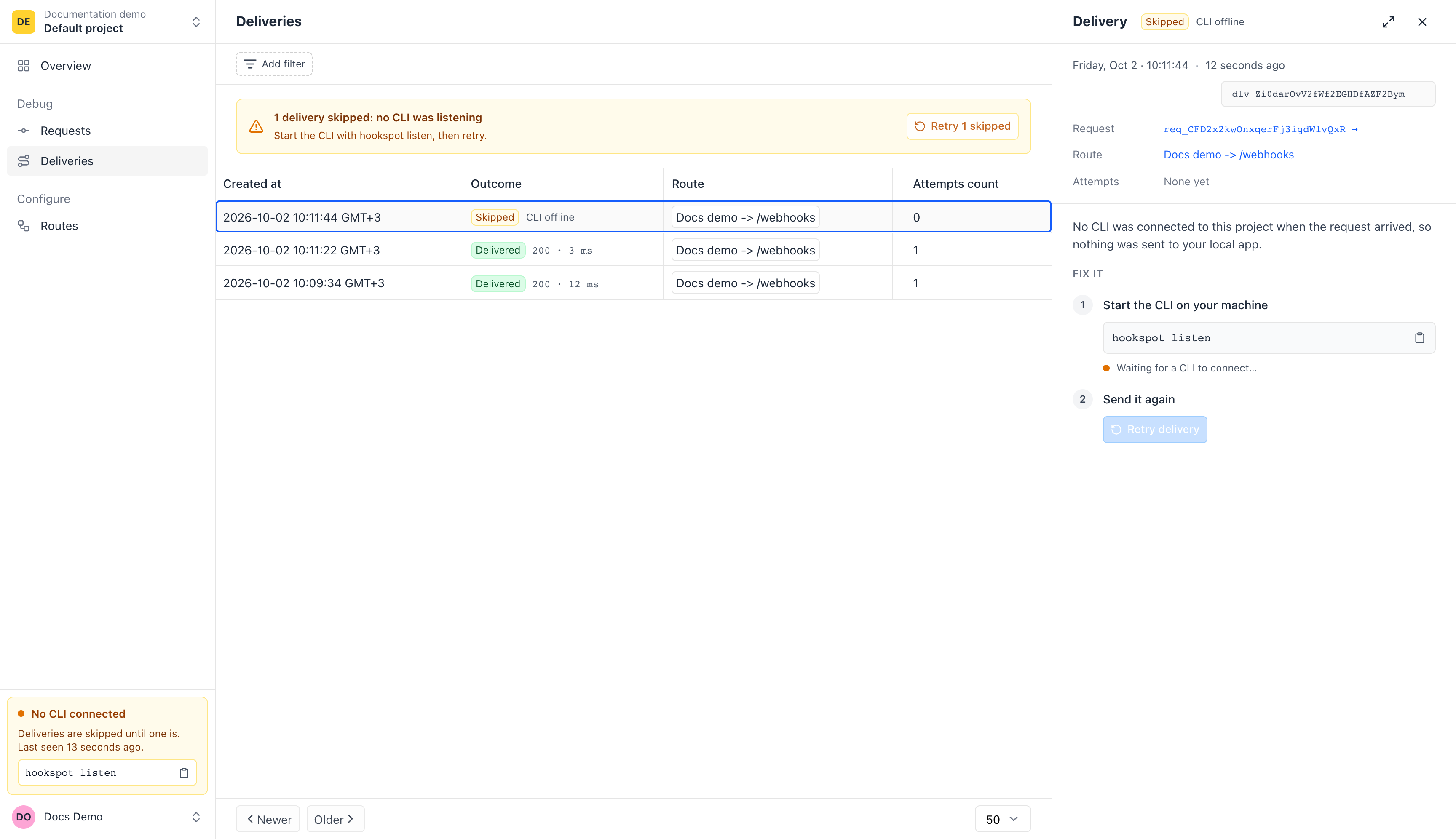
Webhooks wait while the CLI is off.
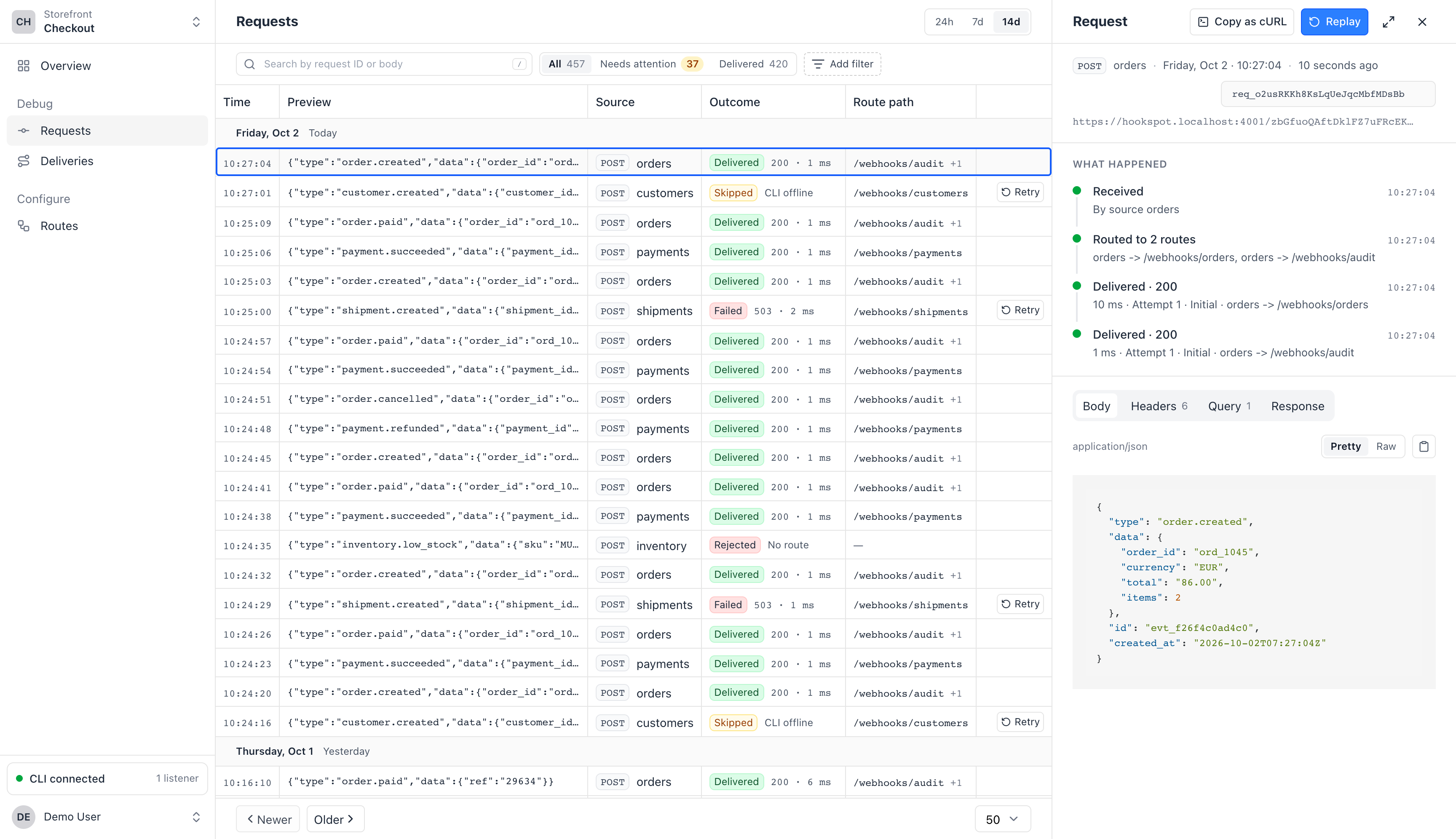
Hookspot stores each one and marks its delivery CLI offline. Start hookspot listen, then click Retry.
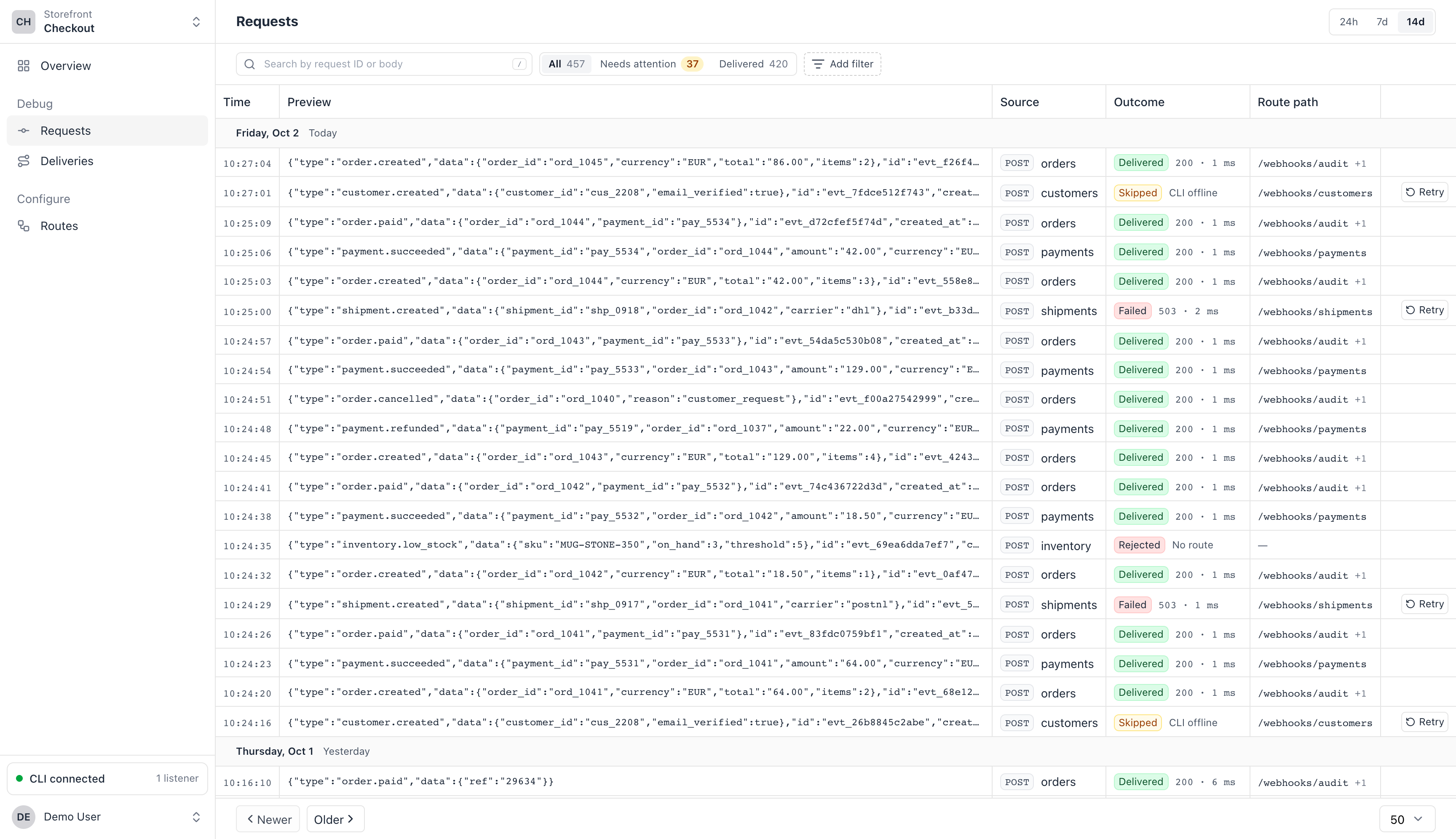
Hookspot gives you a webhook URL. While the CLI runs, each webhook reaches the app on your laptop, and you can see what arrived, what your app answered, and send it again.
Free for 25,000 requests a month. No card needed.

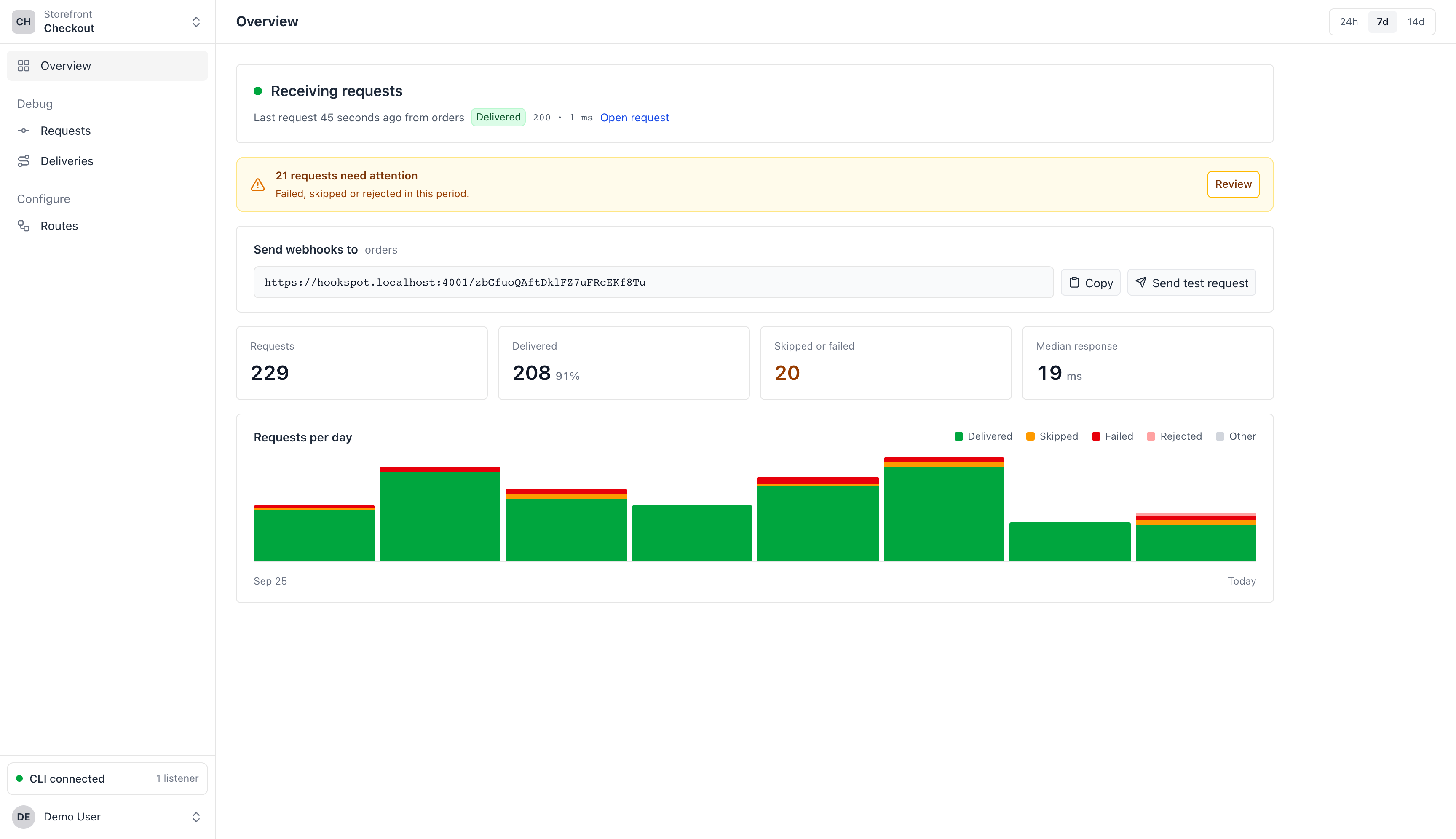
Use GitHub or Google, or an email address you confirm. Then name your organization.
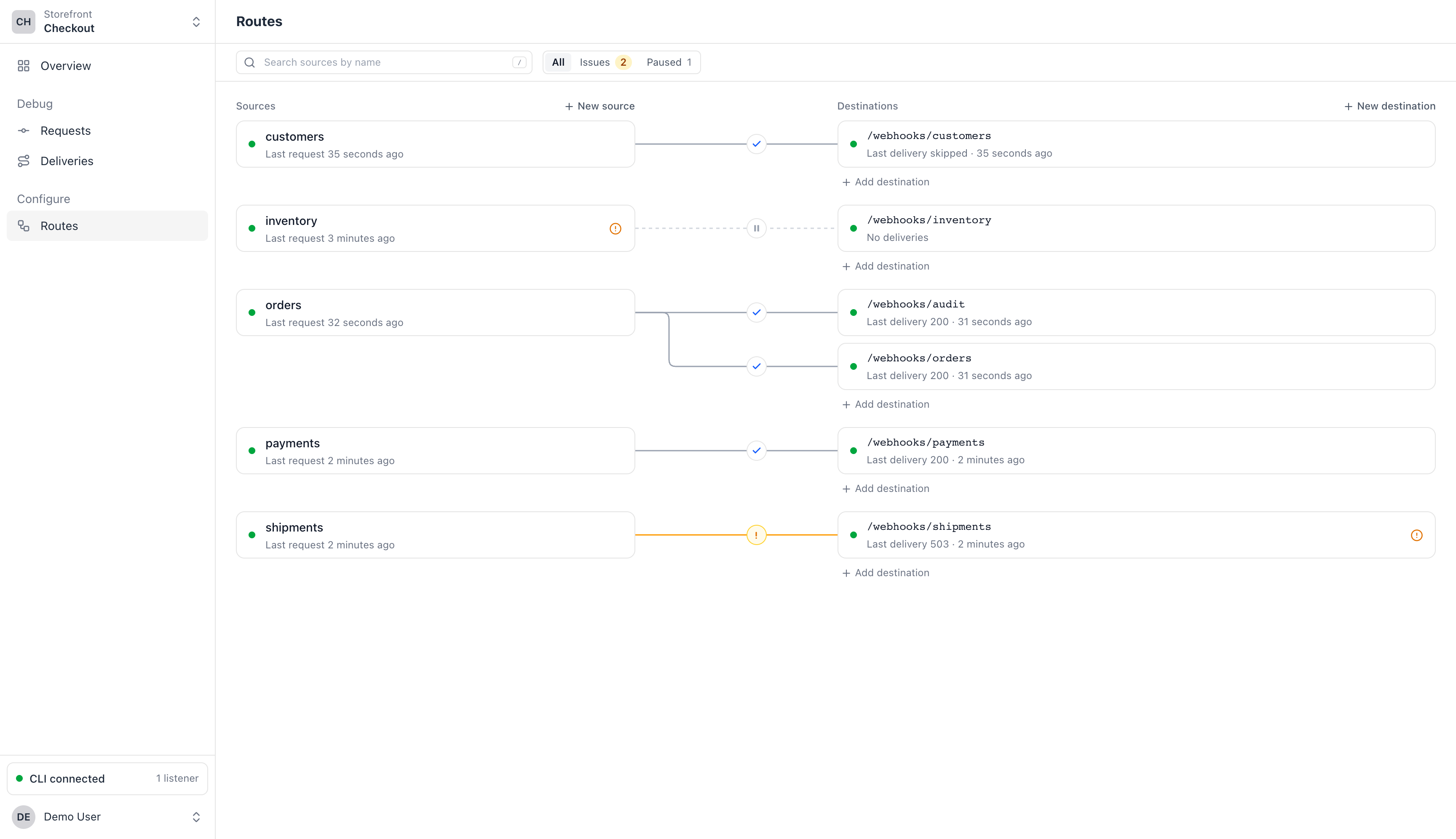
Name a source and pick the path in your app, like /webhooks/orders. You get a webhook URL to paste into the service that sends webhooks.
Install it, approve the login in your browser, then start forwarding to your app.
npm install -g @hookspot/clihookspot loginhookspot listen --forward-to http://localhost:3000Click Send test request in the app. The webhook shows up there and in your terminal.
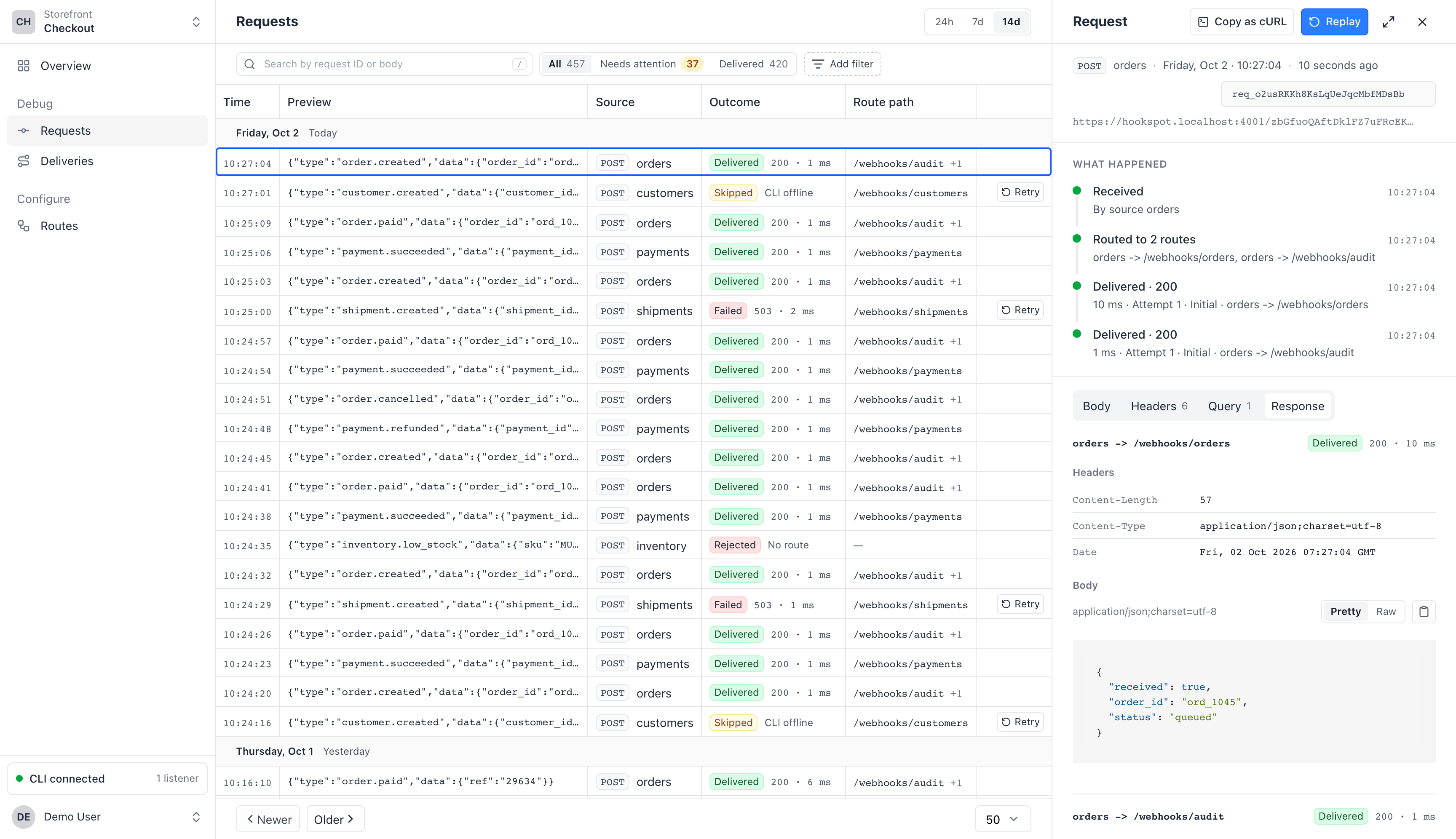
Hookspot stores each webhook, so you can send it again if your app answers with an error or the CLI is off.
Incoming webhooks1,284 stored
Webhook URLStores each webhook
Your laptop
hookspot listenconnected/webhooks/orders200 OK/webhooks/audit200 OKHookspot stores each one and marks its delivery CLI offline. Start hookspot listen, then click Retry.
If your app answers with a server error or can't be reached, Hookspot tries again, up to five attempts. The Attempts tab lists each one.
Automatic retries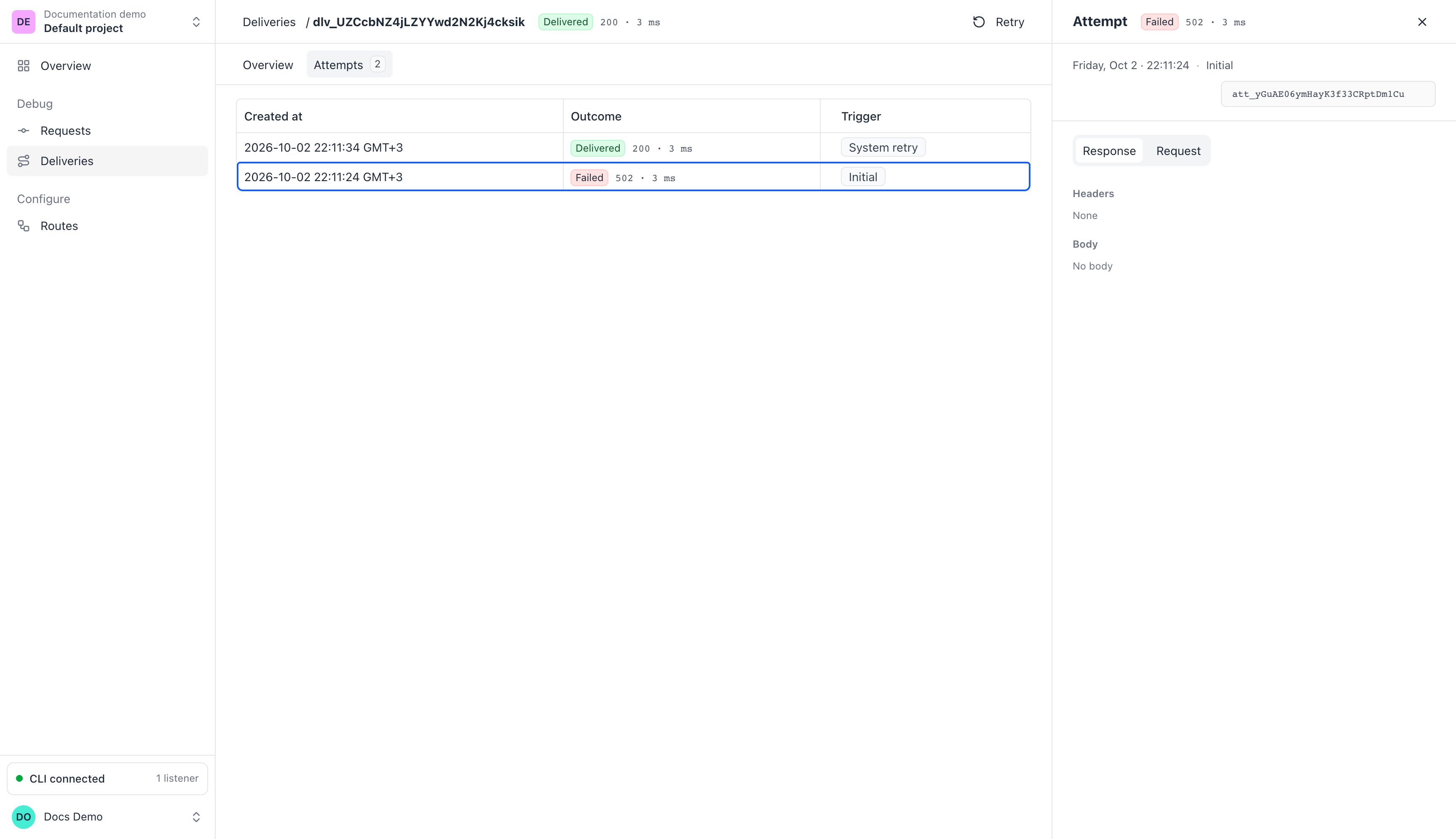
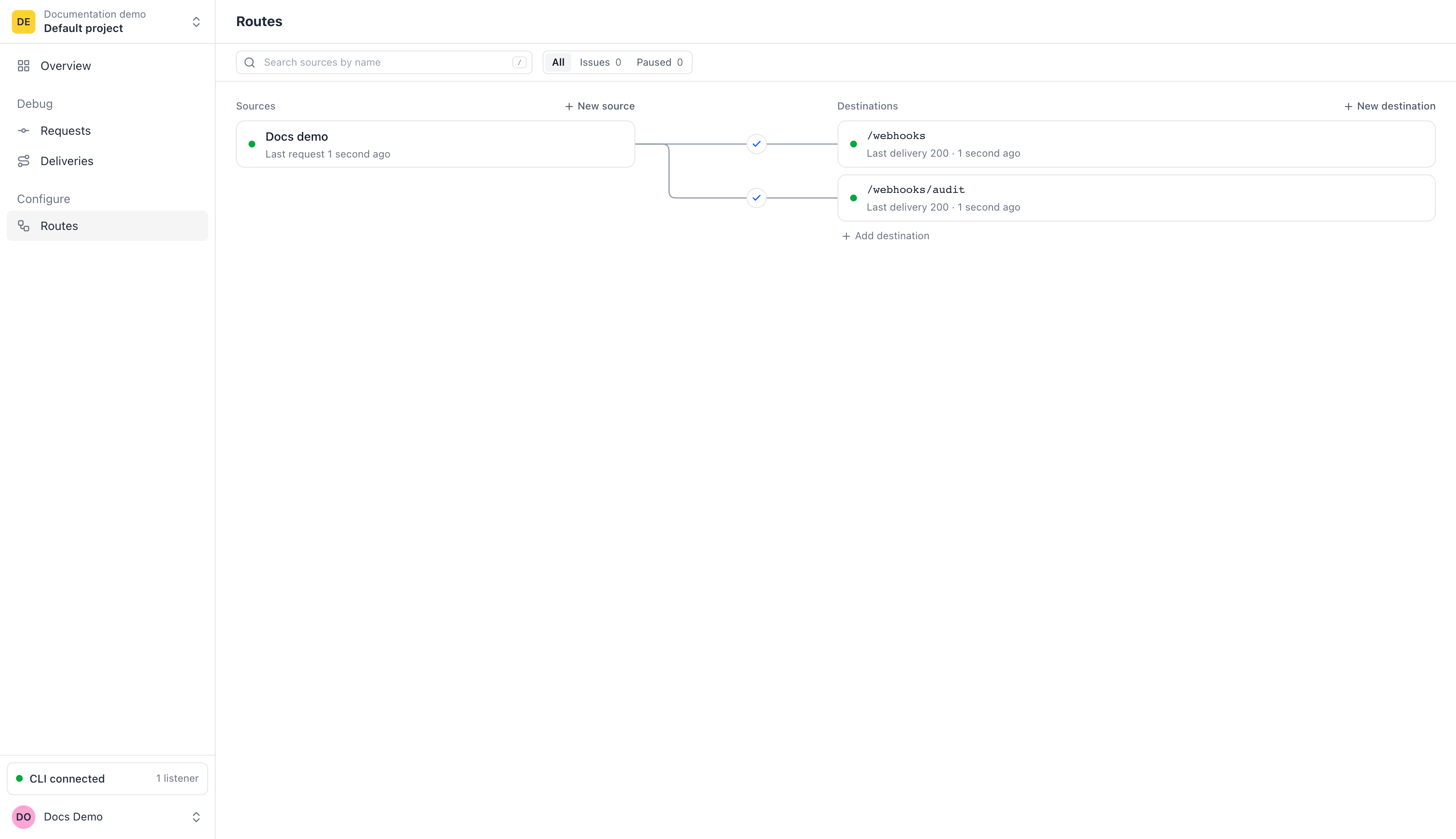
Route one source to more than one path, like /webhooks and /webhooks/audit. Each path gets its own delivery.
r to replay.Changed your handler? Select the request in hookspot listen and press r. The CLI sends it to your app again and shows what changed.
#2 ↻ #1 422 → 200 4ms → 1ms orders · POST /webhooks/orders 20:35:15.890 - "error": "missing customer_id" + "received": trueOnly the Hookspot CLI.
Yes, if it sends webhooks to a URL you give it. The service gets Hookspot's reply, not your app's, so a service that needs your app's answer to confirm the URL won't work.
Hookspot keeps receiving and storing webhooks, and their deliveries wait as CLI offline. Run hookspot listen again, then click Retry in the app.
14 days on the Free plan and 60 days on Pro.
Install the CLI with npm (Node.js 18 or newer) or Homebrew.