
Send one webhook to several paths
Add a second path to a source, so each webhook reaches both.
A source has one route for each path it sends webhooks to, and each route gets
its own delivery of every webhook. This guide adds /webhooks/audit to
Docs demo, so every webhook reaches both paths in your app.
Prerequisites
Section titled “Prerequisites”- The Docs demo route from the quickstart.
- Your app answering
POST /webhooksandPOST /webhooks/auditon port 3000 with a2xxstatus, and the CLI forwarding to it:
hookspot listen --forward-to http://localhost:3000Add a second path
Section titled “Add a second path”- Open Routes.
- Under Docs demo, click Add destination.
- Enter
/webhooks/auditin the New path… field. - Click Connect.
Routes shows two lines from Docs demo: one to /webhooks and one to
/webhooks/audit. The CLI forwards to the new path without a restart.
Send a test request
Section titled “Send a test request”Press t in the CLI. It lists two rows, one per delivery: POST /webhooks
and POST /webhooks/audit. Your app gets the webhook at both paths.
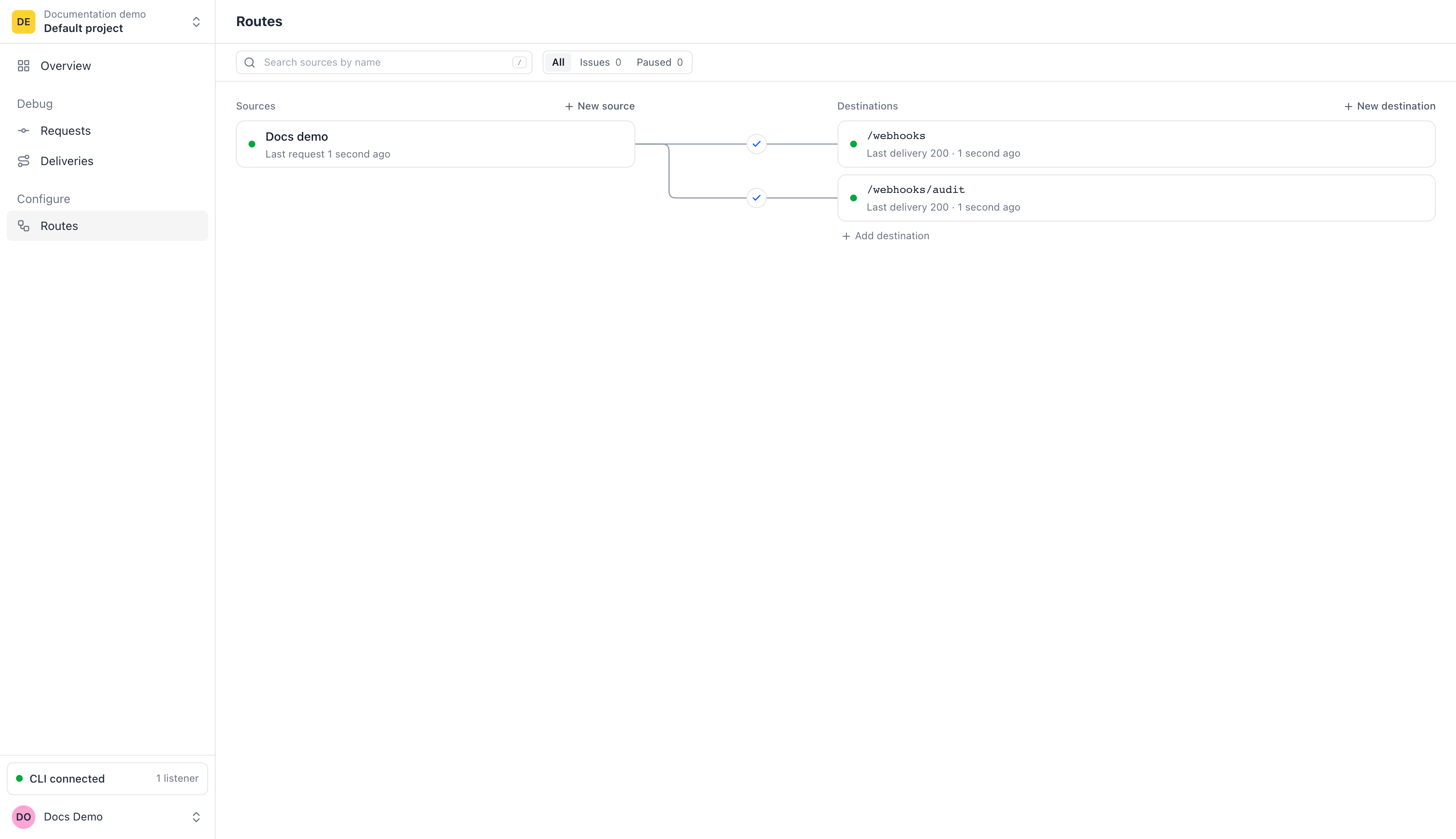
One source, two routes. Each webhook to Docs demo now gets one delivery per path.
In the app:
- Open Requests and select the new row. Its Route path reads
/webhooks +1. - Read What happened: Routed to 2 routes, then one Delivered · 200 for each path.
Each delivery has its own attempts and response, so one path can fail while the other works. Requests says which outcome the request shows then.
Remove the second path
Section titled “Remove the second path”- Open Routes and click
/webhooks/audit. - Click Open, then select Settings.
- Click Delete destination and confirm.
Hookspot deletes the path and its route. Docs demo keeps its route to
/webhooks.